1792034100000
Improved Mobile Experience for Event Web Pages
The agenda and speaker sections of published event web pages have been optimized for mobile devices, providing a better viewing experience, especially on smaller screens. 1791437577933
Custom Button Labels for Forms
Button labels can now be customized directly in any form without creating or editing a Language Template. 1791234606974
Introducing Zapier for Diobox: Connect Your Events to Thousands of Apps
Diobox now integrates with Zapier, allowing you to connect your events to thousands of apps, including Slack, Google Sheets, HubSpot, Salesforce, and Mailchimp. Automate everyday tasks and keep your event data connected to the tools your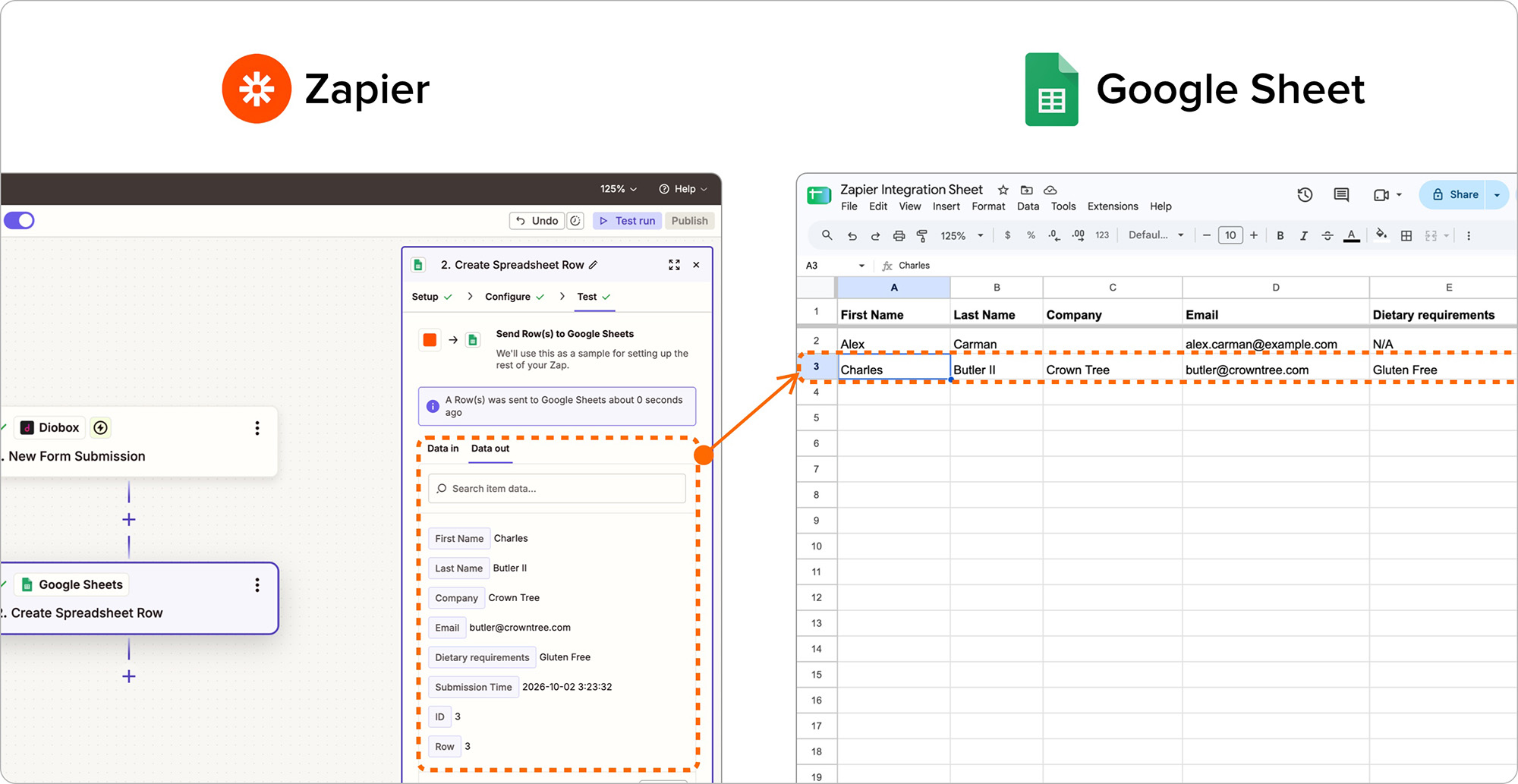
1788379495035
Wallet Pass Builder Improvements
The Wallet Pass Builder has received a major update, with improvements to both the user interface and field structure. These changes provide greater compatibility between Apple Wallet and Google Wallet passes, making it easier to create and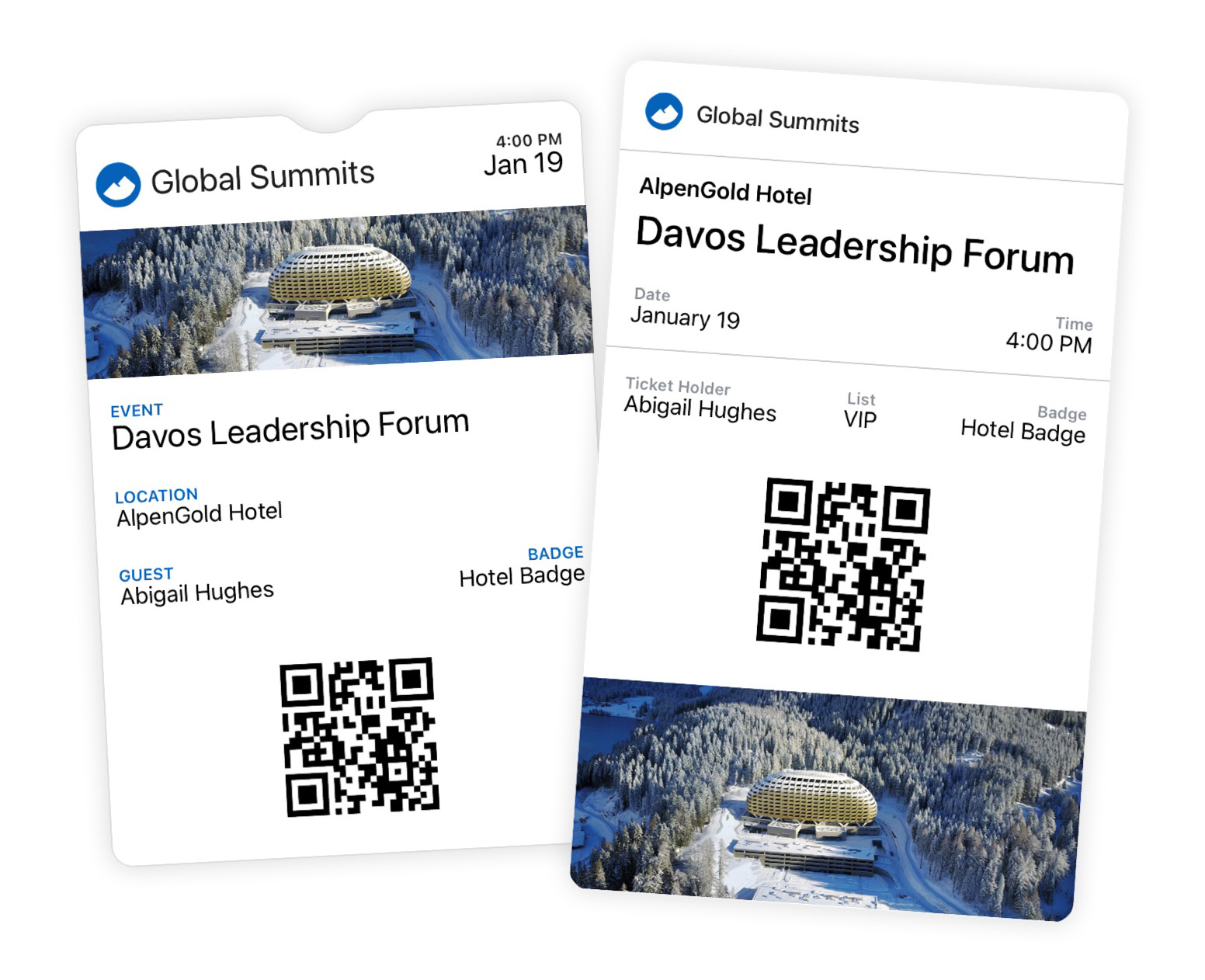
1787601460147
Android Release v1.11
Guest Filtering The Guests screen now supports guest list and segment filtering, making it easier to view only the guests you need. Performance and Stability Improvements Improved overall app speed and stability. 1786403181262
Branded Wallet Passes Are Here
Diobox Wallet Passes now give you complete control over how your event appears in Apple Wallet and Google Wallet. Create fully branded, dynamic passes that give guests instant access to their event details and QR codes, right from their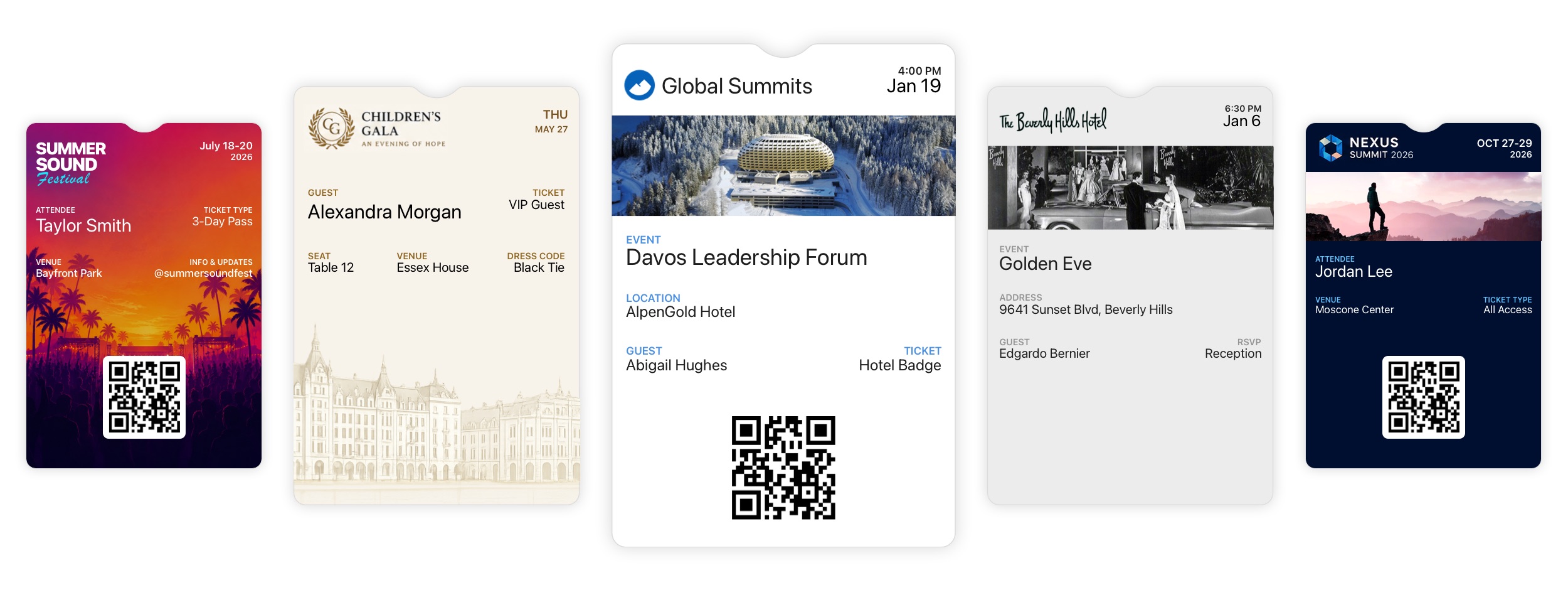
1784909460000
Lead Retrieval Updates
Major new improvements to Lead Retrieval give event organizers more control over licenses, exhibitors, and collected leads. Flexible License Purchasing: Organizers can purchase Lead Retrieval licenses directly within an event or have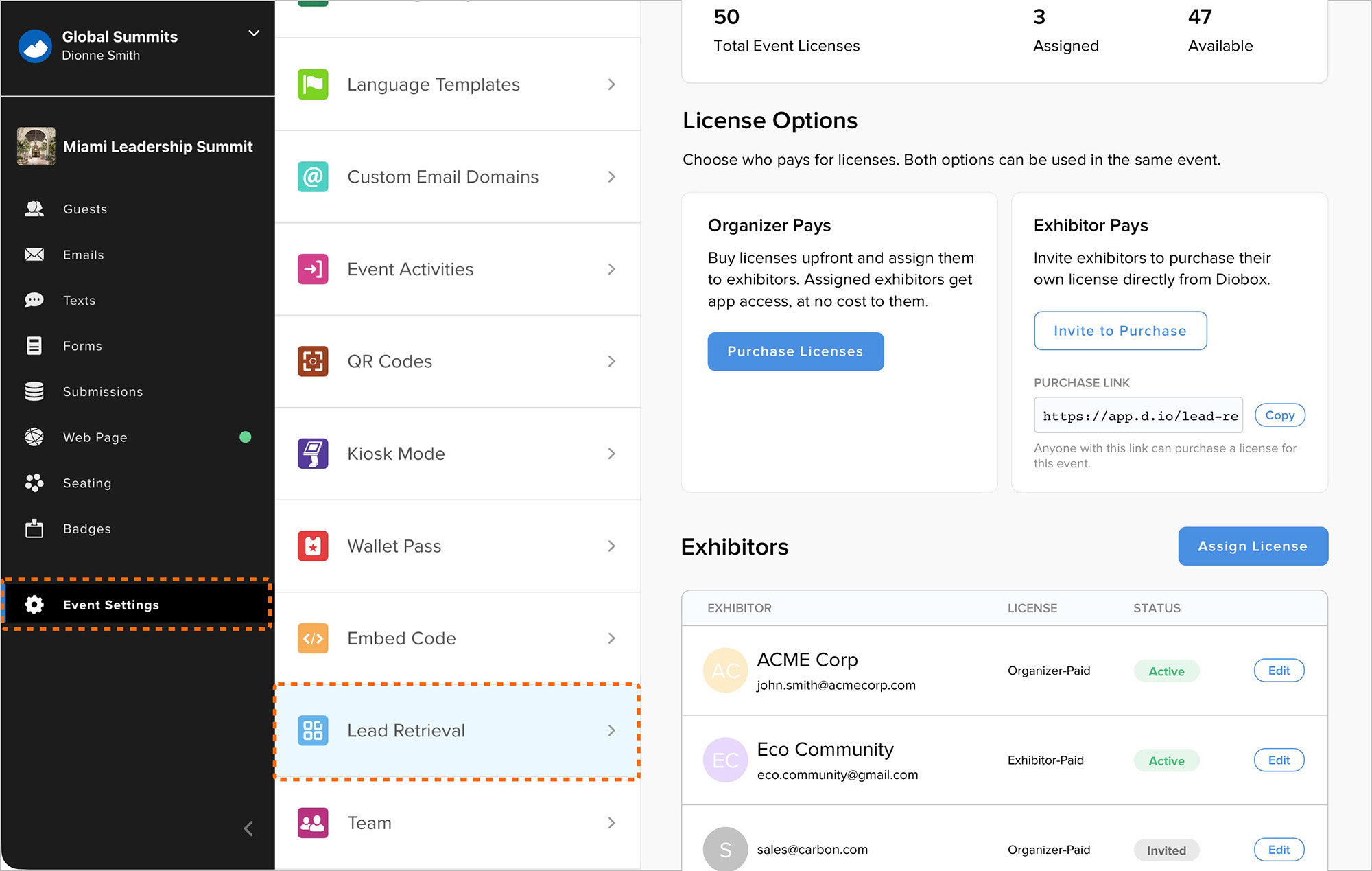
1783370280000
Custom Question Filters in Guest Segments
Guest List segments can now filter by responses to custom questions included in form submissions. This makes it easier to create targeted segments from the main Guests tab using guest attributes alongside submitted form responses.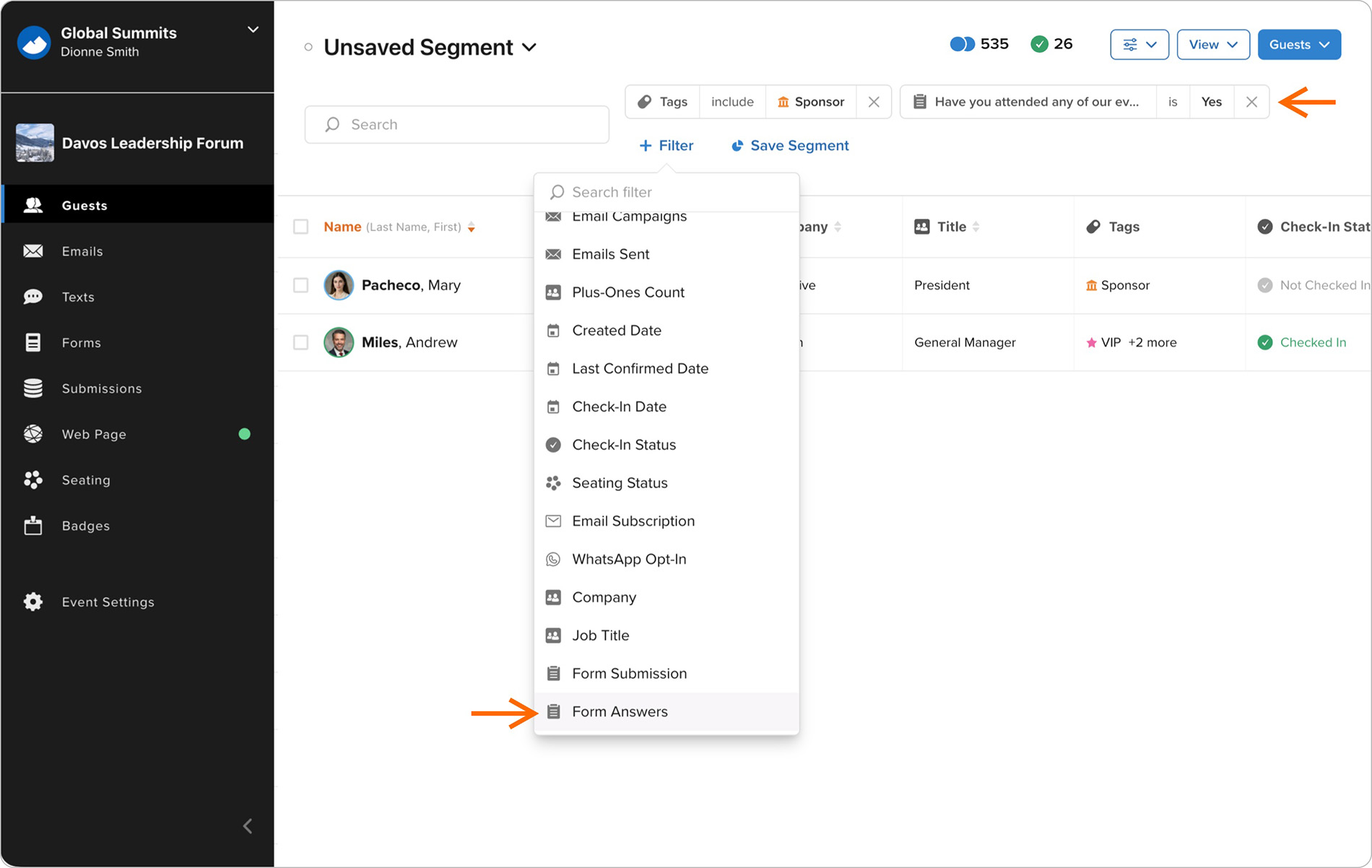
1783354200000
Country Dropdown Improvements
The Country field in all forms now uses a standardized dropdown menu to improve data consistency. The dropdown highlights countries most relevant to the guest’s location before showing the full country list, and remains compatible with